Lucida for language learning
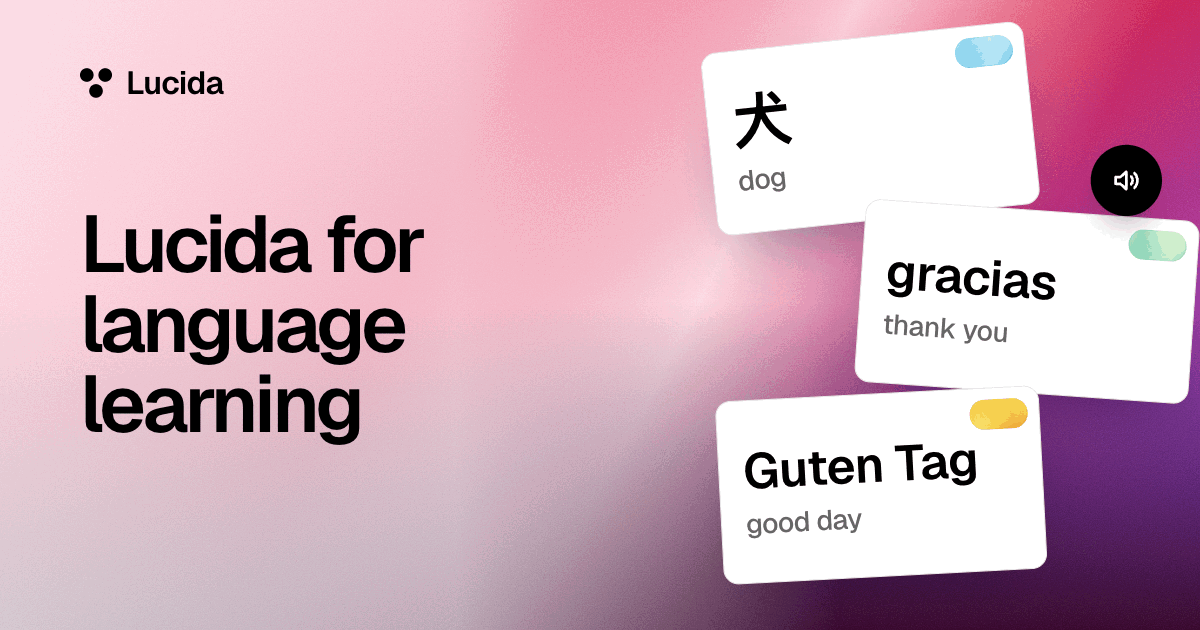
Lucida is a flashcard app for vocabulary: make word and sentence cards, add sound you record, upload or have read aloud, hide the word you’re learning in fill-in-the-blank cards, and let FSRS schedule the reviews. It’s free and runs in any browser, but it has no lessons, dictionary or ready-made word lists, and there’s no language picker on a sound card you make by hand.
On this page
At a glance
| Card | What it looks like | Good for |
|---|---|---|
| Question and answer | A word or phrase on the front, the meaning on the back | Vocabulary. For both directions, make a second card the other way round |
| Fill in the blank | A sentence with the word hidden: “Yo [[tengo]] dos hermanos.” | Words in context, verb forms, grammar |
| Sound | You hear the word (recorded, uploaded or read aloud) and answer what it means | Listening, pronunciation, recognizing words by ear |
| Picture | A picture, or a picture with hidden parts | Objects, signs, maps |
Make cards, step by step
- 1. Try sentences, not only words. A card like “Yo [[tengo]] dos hermanos.” shows how a word is used. Add a Blank card, write the sentence, and put double brackets around the word to hide. Each blank can be its own card.
- 2. Add sound. On a Sound card you can record yourself (tap the mic), upload a file, or type words for your device to read aloud. The sound can play on its own when the card comes up, and you can turn that off.
- 3. Or make cards from a lesson. Choose Make cards, add your notes, a PDF, a photo of a book page, a recording or a YouTube link, and pick the deck, the kinds (basic or fill in the blank) and the language. Lucida shows the new cards first, and you keep, edit or remove each one.
- 4. Or ask your AI. Tell Claude or ChatGPT the language and your level, and ask for sentence cards with blanks and for sound cards. It sends Lucida the words and a language code, like es, fr or ja (see AI flashcards).
- 5. Learn, then review. In Learn mode, the type-the-answer question forgives accents, capital letters and small typos, so it tests recall, not spelling. Then FSRS schedules the reviews.
- 6. Keep a pace you can hold. Lucida starts at 20 new cards a day. Each new card adds reviews later, and Anki’s manual estimates that 20 new cards a day settles at roughly 200 reviews a day.
Words and numbers
Vocabulary is a big number. For English, which is the language Nation studied, knowing 98% of the words in a text takes about 8,000 to 9,000 word families for written text and 6,000 to 7,000 for spoken text (Nation, 2006). Spaced repetition is a way to keep that many words in memory. A 2006 review of spacing experiments (Cepeda and colleagues) looked at verbal recall tasks, which means recalling words and facts, so it says less about speaking fluency.
Sound on Free and on Pro
- Recording and uploading work on Free. Sound files can be MP3, M4A, WAV, OGG or WebM, up to 4 MB each.
- Reading aloud uses your device’s own voice, so the voices and languages depend on your device and browser. When you type the words yourself, the card editor has no language picker, and the device reads them in its default voice and language. For other languages, ask your AI to make the sound cards, because it sends a language code, or record or upload the audio.
- Natural voices (Pro). When your AI makes a sound card, Lucida turns the words into a natural-sounding voice file on Pro.
- The 100 limit. Free includes up to 100 pictures and sounds. A sound card that uses the device’s voice stores no file, so it doesn’t count.
Shared decks and your own lists
Discover lists shared decks by topic, like Spanish. They’re made by people, so check them, and study one as it is or copy it to edit (see shared decks). To bring your own word lists, save a spreadsheet as CSV with the word in the first column and the meaning in the second, or import an Anki or Quizlet text export (see importing). Sounds and pictures don’t come along in those.
What Lucida doesn’t do for language learners
- It has no lessons, grammar notes or dictionary. It’s a memory tool for the words and phrases you choose.
- Lucida doesn’t come with ready-made word lists or native-speaker recordings.
- It doesn’t listen to you or grade your pronunciation.
- It doesn’t make reverse cards on its own. For both directions, make two cards.
- Typing your answer forgives accents, so it won’t drill diacritics.
- It needs an internet connection.
Test yourself
Show the answerShow the questionWhat goes around a word to hide it in a Blank card?Double brackets. Each blank can be its own card.
Show the answerShow the questionHow many pictures and sounds does Free include?Up to 100. A sound card that uses the device’s voice stores no file, so it doesn’t count.
Show the answerShow the questionIs there a language picker on a sound card you make by hand?No. The card editor has no language picker, so the device reads the words in its default voice and language.
Show the answerShow the questionWhat does Lucida not include for language learners?Lessons, grammar notes, a dictionary, ready-made word lists and native-speaker recordings. It doesn’t grade your pronunciation.
Questions
What is the best flashcard app for language learning?
It depends on what you need. Lucida gives you word, sentence, fill-in-the-blank, sound and picture cards, FSRS scheduling and AI-made cards, free. It has no lessons, dictionary or native recordings, and no language picker on a sound card you make by hand.
Can Lucida make word cards from my notes or a lesson recording?
Yes. Choose Make cards and add your notes, a PDF, a photo of a book page, a recording or a YouTube link, then pick the deck, the kinds (basic or fill in the blank) and the language. Lucida shows the new cards first. It makes basic and fill-in-the-blank cards, not sound cards.
Can I add audio to flashcards in Lucida?
Yes. Record yourself, upload a file, or have the device read typed words aloud. Your AI can also make sound cards with a language code. Free includes up to 100 pictures and sounds.
Does Lucida have native-speaker pronunciation?
Only what you add: your own recordings, files you upload, or voices read by your device (or, on Pro, natural voices for sound cards your AI makes). There’s no library of native recordings.
How do I make fill-in-the-blank cards for a language?
Add a Blank card, write a sentence, and put double brackets around the word to hide, like “Yo [[tengo]] dos hermanos.” Each blank becomes its own card unless you choose one card for all of them.
Are sentence cards better than single-word cards?
Try both. A sentence with the word blanked out shows it in use, and a word-and-meaning card is faster to make. Keep whichever you actually remember.
How many new words should I learn a day?
Pick a number you can keep up. Lucida starts at 20 new cards a day, and each new card adds reviews later. Anki’s manual estimates that 20 new cards a day settles at roughly 200 reviews a day.
Can Lucida read my cards aloud?
Yes. Your device’s voice reads typed words aloud. A card the editor makes has no language setting, so it reads in the device’s default voice. Cards your AI makes carry a language code, and on Pro Lucida can make a natural voice file.
Can I import my Anki or Quizlet language decks?
Yes, through text exports or CSV. Audio, pictures, tags and review history don’t come along, and Lucida can’t open .apkg files. See importing.
Does Lucida work for Japanese, Korean, Chinese and other languages?
Cards take any text you can type, and the landing page shows Japanese and Korean cards. Lucida doesn’t add readings like furigana or pinyin for you, so type them or ask your AI to include them.
Keep reading
Sources (5)
The pages this one was written from, and the day each was checked.
- Nation (2006), How large a vocabulary is needed for reading and listening?, Canadian Modern Language Review · checked September 30, 2026
- Cepeda and others (2006), Distributed practice in verbal recall tasks: A review and quantitative synthesis, Psychological Bulletin · checked September 30, 2026
- Anki Manual: Deck options · checked September 30, 2026
- Wozniak (1999), Twenty rules of formulating knowledge, SuperMemo · checked September 30, 2026
- Lucida pricing (what Free and Pro include, as of September 2026) · checked October 1, 2026