Lucida vs Kahoot
Kahoot is the well-known live quiz game for schools and events, built for large groups, reports and many question types. Lucida is a flashcard app with spaced repetition whose Live mode turns any of your decks into a game for up to 60 friends on their phones, free.
On this page
At a glance
| Feature | Lucida | Kahoot |
|---|---|---|
| Price (September 2026) | Free: unlimited decks and cards, spaced repetition, Learn mode, sharing, live games, import and export. Pro: $5.99 a month or $49.99 a year. | Free (Kahoot! Go): flashcards and live games of up to 40 players on its school plans page (10 on its personal plans page). Paid Kahoot!+ starts at $3 a month billed yearly. Kahoot! One is $19 a month billed yearly, shown with a 20% offer that ends September 30, 2026. |
| Platforms | Web app at app.lucida.cards, on computers and phones. No App Store app yet. | Website and the Kahoot! mobile app. Players join at kahoot.it with a game PIN. |
| Spaced repetition | FSRS plans every review. Grade each card Forgot, Hard, Good or Easy, and set how much you want to remember. Pro adds exam dates and tuning to your own reviews. | Flashcards (swipe to see a card again later or mark it done) and Learn mode. Its help center says Learn mode can be used for spaced repetition. No schedule is published. |
| AI | Built in: makes cards, writes live-game questions from a topic and explains answers. Your own AI (Claude, ChatGPT, Cursor or any MCP app) can also make and edit cards and Learn quizzes through your personal Lucida link. You choose what it may do and can check its cards first. | AI builds kahoots and study sets from topics, PDFs, URLs and Wikipedia. These tools are paid: Bronze, from $3 a month billed yearly, reads up to 3 pages, and higher plans up to 150. |
| Making cards | Type cards in the editor (bold, italics, math, lists), import a list, make cards from a PDF, slides, a Word file, caption files, pictures, a recording, a YouTube video or a topic (3 makes a day on Free, 30 on Pro), or ask your own AI. Lucida shows new cards first, and you keep, edit or remove each one. | A creator with templates and a question bank of community questions, plus AI. Flashcards are free to create. |
| Card kinds | Question and answer, fill in the blank (cloze), picture with hidden parts (image occlusion), and sound. | Quiz and true or false questions on the free plan. Paid plans add question types such as puzzle, drop pin and slider. Flashcards. |
| Import and export | Import pasted text or a .csv, .tsv or .txt file, including Anki’s Notes in Plain Text export and Quizlet’s export. Not .apkg files. Export a CSV for each deck, or everything (decks, cards, reviews) as JSON. | Import quiz questions from an .xlsx template (quiz questions only, no images) and slides from PowerPoint. A kahoot can’t be downloaded as a spreadsheet directly; a game report gives an .xlsx with its questions and answers. |
| Sharing | Decks are private, link-only or public. Profiles, Discover, study a deck as it is or copy it, suggest changes, version history. All free. | A huge public library (its plans page says half a billion community questions). Share kahoots by link. |
| Games | Live: play a deck with up to 60 friends on their phones. They join with a code or QR, no account. Free. | This is the product: live games on a shared screen. Kahoot says it has had 14 billion participants since 2013. Team play and more game experiences come with paid plans. |
| Works offline | No. Lucida needs an internet connection. | An offline mode in the app: save kahoots and study, play or create without a connection. Kahoot says it is free for students. |
| Privacy | No ads. We don’t sell your data or use your cards to train AI models (privacy policy). You need an account, and data is stored in the United States. Export or delete it from Settings. | Its privacy notice (effective September 1, 2026) says there is no third-party advertising, and that it does not sell personal information. |
Show all 11Show fewer
What each one is for
Kahoot is a game that a host runs for a group. A teacher or presenter puts questions on a shared screen, and players answer on their phones. Flashcards are a smaller part of it.
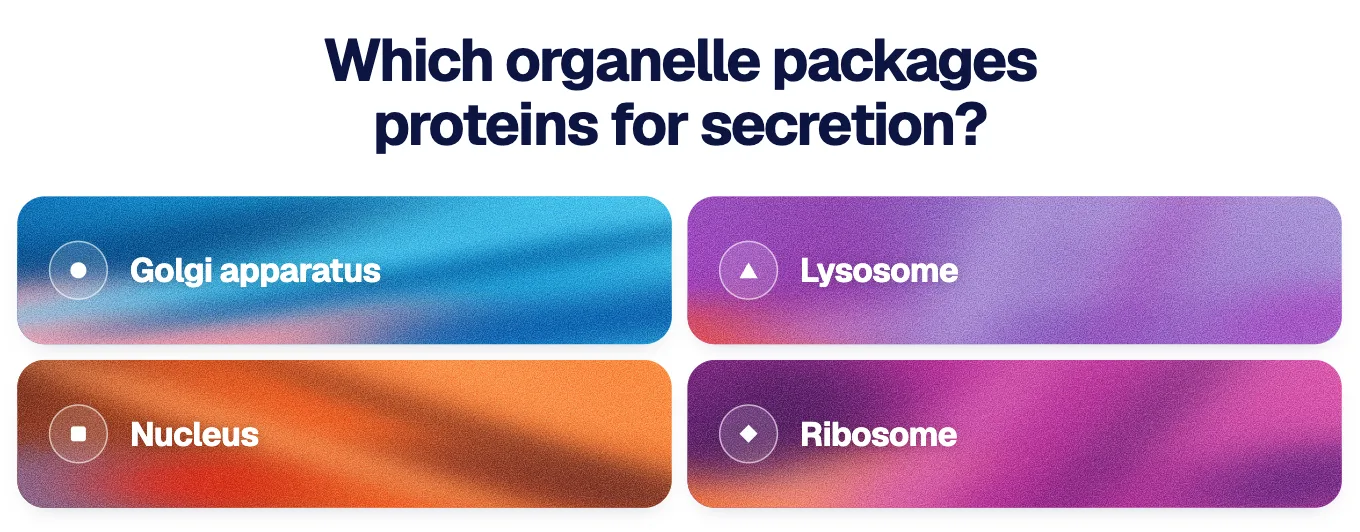
Lucida is a flashcard app you use on your own every day. Live is an extra: any deck becomes a multiple-choice game for friends or a study group, with no quiz to build.
Where Kahoot is better
- Scale. Kahoot says it has had 14 billion participants since 2013, and its paid plans allow up to 800 players (up to 5,000 on its business plans).
- Question types and presentations. Puzzle, slider, drop pin, type answer, word clouds, slides from PowerPoint and more, on paid plans. Lucida Live is multiple choice.
- Reports and team play. Reports for teachers and team experiences come with paid plans. Lucida Live has no teams.
- A huge library of ready-made kahoots, and a question bank of community questions.
- Built for schools and events, with plans for schools, universities, workplaces and one-off events.
- Mobile apps and offline mode. The Kahoot! app works offline for students, free. Lucida has no App Store app yet and needs a connection.
Where Lucida is better
- Flashcards with spaced repetition. FSRS plans every review. Kahoot has flashcards and a Learn mode, and its help center mentions spaced repetition without describing a schedule.
- A free game for more players. Live hosts up to 60 players on the free plan. Kahoot’s free plan lists 40 players on its school page and 10 on its personal page.
- No quiz to build. The game uses your deck’s cards, or questions your AI wrote, so a deck you already study is ready to play. You can also type a topic, and Lucida writes about 10 questions.
- Players need no account. Friends join with a code or a QR code and a name.
- Everything else in one place: Learn mode, cards Lucida or your own AI makes, sharing and export.
Using both
Study a deck in Lucida every day, then run a Live game before the test. For a large group, a hall or an event, use Kahoot.
To move questions, export a Lucida deck as CSV and copy the fronts and backs into Kahoot’s spreadsheet template. Each Kahoot question needs at least two answers, so you add the wrong ones, and the template takes standard quiz questions only.
- 1Study a deck every dayIn Lucida
- 2Run a Live gameBefore the test
- 3Use KahootFor a large group, a hall or an event
Who should pick which
- KahootPick Kahoot for school or event games with many players, reports, team modes and slides.
- LucidaPick Lucida to study cards every day with spaced repetition and play a deck game with friends or a study group.
How we checked this page
Facts about Kahoot come from Kahoot’s plans pages, help center, company page and privacy notice, opened on September 30, 2026. Facts about Lucida come from the app, its pricing page and its privacy policy, and are as of October 1, 2026. Where we couldn’t confirm something about Kahoot, we left it out. If anything here is wrong, write to team@lucida.cards.
Test yourself
Show the answerShow the questionHow many players can join a free Lucida Live game?Up to 60. Kahoot’s free plan lists 40 players on its school page and 10 on its personal page.
Show the answerShow the questionHow many players do Kahoot’s paid plans allow?Up to 800, and up to 5,000 on its business plans.
Show the answerShow the questionWhat is the starting price of paid Kahoot!+?$3 a month billed yearly. Kahoot! Go is free.
Show the answerShow the questionDoes a player need an account to join Lucida Live?No. Friends join with a code or a QR code and a name, but the host needs a Lucida account.
Questions
Is Kahoot free?
Yes, with limits. Kahoot! Go is free and includes flashcards and live games with a small player limit: 40 players on Kahoot’s school plans page and 10 on its personal plans page. Paid Kahoot!+ plans start at $3 a month billed yearly and raise the limit to 50, 100, 200 or 800 players (September 2026).
How many players can join a free Kahoot?
Kahoot lists 40 players for the free Kahoot! Go plan on its school plans page, and 10 on its personal plans page. Lucida’s Live is free for up to 60 players.
Does Kahoot have flashcards?
Yes. Kahoot has flashcards you can create for free and a library of flashcards from verified creators. You swipe a card to see it again later or mark it done. AI tools that make cards from PDFs are paid.
Does Kahoot use spaced repetition?
Kahoot’s help center says you can use Learn mode for spaced repetition, and flashcards for memorizing key points. It doesn’t publish how cards are scheduled. Lucida plans every review with FSRS.
What is a free alternative to Kahoot for studying with friends?
Lucida’s Live (free, up to 60 players, join with a code), Gizmo Live (free, at least 2 players and no maximum), Knowt Play (free to host from your own sets, with several game modes) and Quizlet Live (a matching game started from a teacher-identified account). Kahoot is still the one built for big groups and events.
Can I turn my flashcards into a Kahoot?
Kahoot imports quiz questions from an .xlsx template, and every question needs at least two answers, so a flashcard’s front and back need wrong answers added first. Its paid AI tools can also build a kahoot from a PDF. In Lucida you don’t need to: Live plays any deck directly.
Do players need an account to join Lucida Live?
No. Friends open lucida.cards/join or scan the QR code, enter the code and a name, and play. The host needs a Lucida account and runs the game from a deck.
Does Lucida Live have teams or many question types?
No. Lucida Live is for individuals, and its questions are multiple choice, made from your deck’s cards, written by your AI, or written by Lucida for a topic you type. Kahoot has team experiences and many more question types on paid plans.
What does Kahoot say about privacy?
Kahoot’s privacy notice (effective September 1, 2026) says its services, app and website include no third-party advertising, and that it does not sell personal information or share it with third parties for marketing. Check the notice against your school’s rules.
Keep reading
Sources (15)
The pages this one was written from, and the day each was checked.
- Kahoot! plans for schools · checked September 30, 2026
- Kahoot!+ Study plans (personal) · checked September 30, 2026
- Kahoot! for students: study tools · checked September 30, 2026
- Kahoot! flashcards · checked September 30, 2026
- Kahoot! 360 business pricing (player limits) · checked September 30, 2026
- About Kahoot! (participants) · checked September 30, 2026
- Kahoot! Help: How to learn and practice with self-study modes · checked September 30, 2026
- Kahoot! Help: How to import questions from a spreadsheet · checked September 30, 2026
- Kahoot! join page (game PIN) · checked September 30, 2026
- Kahoot! privacy notice · checked September 30, 2026
- Gizmo Help: How do I start or join a Gizmo Live game? · checked September 30, 2026
- Knowt Help: Getting Started with Knowt Play · checked September 30, 2026
- Quizlet Help: Starting a game of Classic Quizlet Live · checked September 30, 2026
- Lucida pricing · checked October 1, 2026
- Lucida privacy policy · checked October 1, 2026