Lucida vs Brainscape
Brainscape is a polished flashcard app with its own spaced repetition (you rate each card 1 to 5), expert-made Certified decks and phone apps, but pictures, sounds and export are Pro features. Lucida makes pictures and sounds (up to 100), Learn mode, sharing and export free, and it makes cards from your files, while your own AI (Claude, ChatGPT) can make them too.
On this page
At a glance
| Feature | Lucida | Brainscape |
|---|---|---|
| Price (September 2026) | Free: unlimited decks and cards, spaced repetition, Learn mode, sharing, live games, import and export. Pro: $5.99 a month or $49.99 a year. | Free for your own cards, with no ads. Pro is $7.99 a month on the yearly plan. The App Store lists $19.99 monthly, $59.99 for six months, $95.99 a year and $199.99 for life. |
| Platforms | Web app at app.lucida.cards, on computers and phones. No App Store app yet. | Website, iPhone and iPad app, Android app. |
| Spaced repetition | FSRS plans every review. Grade each card Forgot, Hard, Good or Easy, and set how much you want to remember. Pro adds exam dates and tuning to your own reviews. | Confidence-Based Repetition: you rate every card 1 to 5, and Brainscape’s own algorithm picks when it comes back. It isn’t FSRS. |
| AI | Built in: makes cards, writes live-game questions from a topic and explains answers. Your own AI (Claude, ChatGPT, Cursor or any MCP app) can also make and edit cards and Learn quizzes through your personal Lucida link. You choose what it may do and can check its cards first. | An AI flashcard maker, including a one-by-one Flashcard Copilot. Limited on Free, unlimited on Pro. |
| Making cards | Type cards in the editor (bold, italics, math, lists), import a list, make cards from a PDF, slides, a Word file, caption files, pictures, a recording, a YouTube video or a topic (3 makes a day on Free, 30 on Pro), or ask your own AI. Lucida shows new cards first, and you keep, edit or remove each one. | Type cards, paste a list or upload a file, or use AI on your notes. |
| Card kinds | Question and answer, fill in the blank (cloze), picture with hidden parts (image occlusion), and sound. | Text cards on Free. Images, sounds and reverse cards are Pro. |
| Import and export | Import pasted text or a .csv, .tsv or .txt file, including Anki’s Notes in Plain Text export and Quizlet’s export. Not .apkg files. Export a CSV for each deck, or everything (decks, cards, reviews) as JSON. | Import by pasting or uploading .csv, .txt, .xlsx or .ods files. Anki text exports work, but there is no direct Quizlet or Anki import. Export a deck to Excel-ready files: Pro only. |
| Sharing | Decks are private, link-only or public. Profiles, Discover, study a deck as it is or copy it, suggest changes, version history. All free. | Share decks with peers or students and control who can edit. Decks shared with you are free to study, and 2,500 preloaded cards are free. Certified (expert-made) decks and other learners’ decks in its library need Pro. |
| Games | Live: play a deck with up to 60 friends on their phones. They join with a code or QR, no account. Free. | None found. |
| Works offline | No. Lucida needs an internet connection. | Yes, in the mobile apps once you have downloaded your cards. Creating and editing need a connection. |
| Privacy | No ads. We don’t sell your data or use your cards to train AI models (privacy policy). You need an account, and data is stored in the United States. Export or delete it from Settings. | No ads, says its help center. Making your cards private is a Pro feature. |
Show all 11Show fewer
The short version
Brainscape is built around one idea: after every card, you say how sure you were, from 1 to 5, and it decides when to show the card again. It also sells expert-made Certified decks for big exams.
Lucida plans reviews with FSRS instead, and gives away more on the free plan: pictures and sounds, studying other people’s decks, Learn mode, live games and export.
Where Brainscape is better
- Certified flashcards. Brainscape has expert-curated decks for hundreds of subjects and high-stakes exams. Lucida has none, only decks people share.
- Phone apps. iPhone, iPad and Android apps, with offline study after you download your cards. Lucida has no App Store app yet and needs a connection.
- One rating. You rate each card 1 to 5, and that sets when it comes back.
- Schools and companies. Enterprise licences with branded private portals and detailed student study data.
- Free forever for your own text cards, with no ads and unlimited cards.
Where Lucida is better
- Pictures and sounds on the free plan, up to 100. On Brainscape, images and audio are Pro.
- Other people’s decks are free. Study any public deck, copy it, or suggest changes. On Brainscape, decks a friend shares with you are free, but other learners’ decks in its library and Certified decks need Pro.
- Export is free. Export a deck as CSV or everything as JSON. On Brainscape, exporting a deck is for Pro users.
- A different algorithm. Lucida uses FSRS, an open scheduler, and lets you set how much you want to remember. Brainscape says its algorithm is proprietary.
- Learn mode and live games, free. Five kinds of questions from your cards, and games for up to 60 friends. We found no equivalent in Brainscape’s help center.
- Cloze and picture-hiding cards. Lucida has fill-in-the-blank cards and pictures with hidden parts, free (up to 100 pictures and sounds). Brainscape’s help center doesn’t describe either kind.
- A lower Pro price. Lucida Pro is $5.99 a month or $49.99 a year. Brainscape Pro is $19.99 a month or $95.99 a year in its App Store listing, and $7.99 a month on its website’s yearly plan.
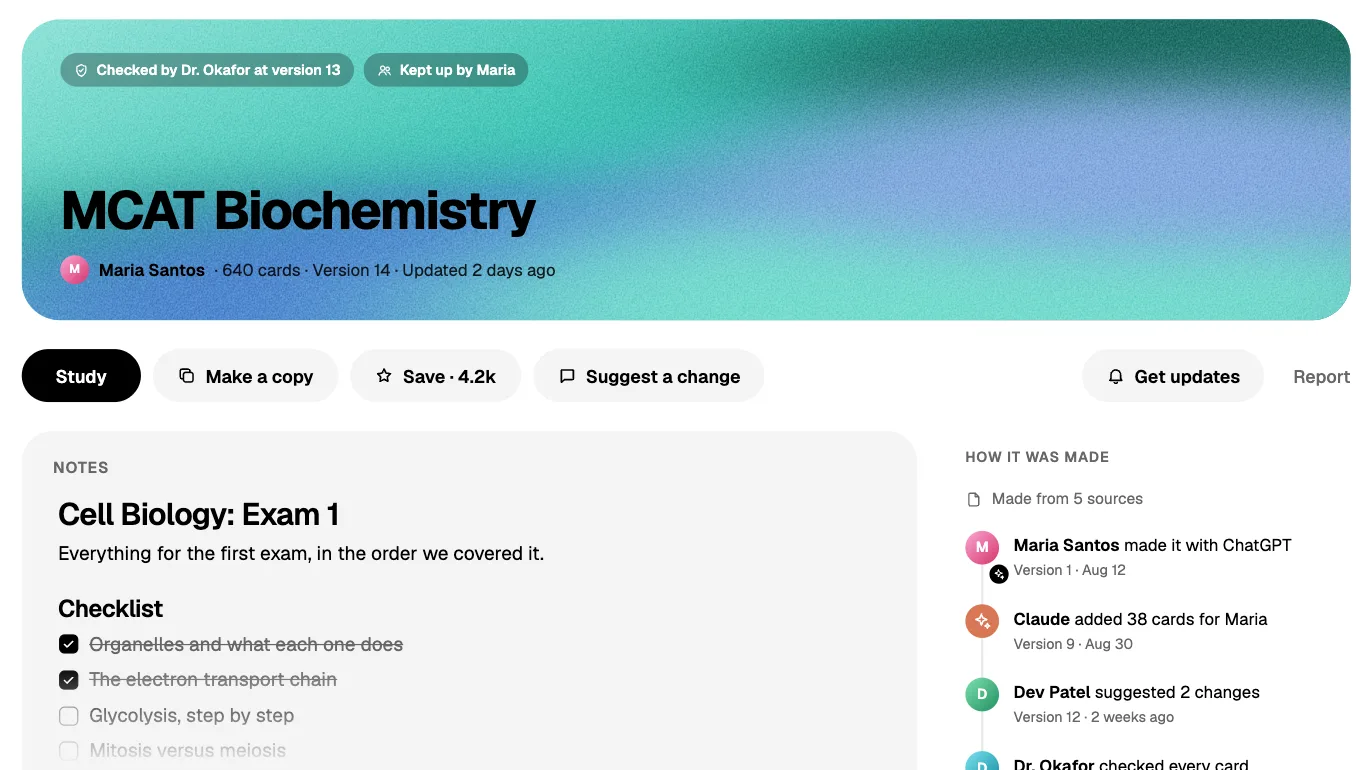
Moving between them
From Brainscape to Lucida: export a deck (Pro) to a CSV file, then choose it in Lucida’s Import cards.
From Lucida to Brainscape: export a deck as CSV and upload it in Brainscape’s Import/Make flashcards. Brainscape accepts .csv, .txt, .xlsx and .ods files.
- 1Export a deckIn Brainscape (Pro)
- 2To a CSV file
- 3Choose it in Import cardsIn Lucida
Who should pick which
- BrainscapePick Brainscape if you want Certified, expert-made decks for a big exam, phone apps with offline study, or a simple 1 to 5 rating.
- LucidaPick Lucida if you want pictures, sounds, other people’s decks and export for free, FSRS, and cards made from your files or by your own AI.
How we checked this page
Facts about Brainscape come from Brainscape’s pricing page, help center and App Store listing, opened on September 30, 2026. Facts about Lucida come from the app, its pricing page and its privacy policy, and are as of October 1, 2026. Where we couldn’t confirm something about Brainscape, we left it out. If anything here is wrong, write to team@lucida.cards.
Test yourself
Show the answerShow the questionDoes Brainscape use FSRS to plan reviews?No. You rate every card 1 to 5, and Brainscape’s own algorithm picks when it comes back.
Show the answerShow the questionWhat are Brainscape’s Certified flashcards?Expert-curated decks for hundreds of subjects and high-stakes exams. They need Pro, and Lucida has none.
Show the answerShow the questionCan you add pictures and sounds on Brainscape’s free plan?No, images and audio are Pro. Lucida’s free plan allows up to 100 pictures and sounds.
Show the answerShow the questionWhat are Brainscape Pro’s monthly and yearly prices in its App Store listing?$19.99 a month or $95.99 a year. Lucida Pro is $5.99 a month or $49.99 a year.
Questions
Is Brainscape free?
Yes, for your own cards. Brainscape’s help center says you can create and study unlimited flashcards for free, forever, with no ads. Pro adds unlimited AI, Certified decks, other learners’ decks, images and audio, reverse cards and privacy controls.
How much is Brainscape Pro?
Brainscape’s pricing page shows Pro from $7.99 a month on the yearly plan. Its App Store listing shows $19.99 monthly, $59.99 every six months, $95.99 a year and $199.99 for lifetime (September 2026). Lucida Pro is $5.99 a month or $49.99 a year.
Does Brainscape use FSRS?
No. Brainscape uses its own Confidence-Based Repetition: you rate each card 1 to 5 and it schedules the next review from your rating and your study pattern. Lucida plans reviews with FSRS.
Can I add pictures and audio on Brainscape’s free plan?
No. Brainscape lists adding images and sounds to flashcards as a Pro feature. Lucida’s free plan allows up to 100 pictures and sounds.
Can I import Anki or Quizlet decks into Brainscape?
Not directly. Brainscape’s help center says to export from Quizlet as CSV, or from Anki as a text file, and import that file. It accepts .csv, .txt, .xlsx and .ods files. Lucida reads Anki’s Notes in Plain Text export and Quizlet’s export as they are.
Does Brainscape work offline?
In the mobile apps, yes, once you have downloaded the flashcards you need. Creating or editing cards needs a connection. Lucida has no offline mode.
Does Brainscape have AI?
Yes. Brainscape has an AI flashcard maker and a one-by-one Flashcard Copilot, with limited access on Free and unlimited use on Pro. Lucida makes cards itself too, with 3 makes a day on Free and 30 on Pro, and your own AI app can make cards through your Lucida link.
Is Lucida a good Brainscape alternative?
If you want free pictures and sounds, free export, other people’s decks for free and FSRS, yes. If you want Certified, expert-made decks or a simple 1 to 5 rating in a phone app, Brainscape fits better.
Keep reading
Sources (11)
The pages this one was written from, and the day each was checked.
- Brainscape pricing · checked September 30, 2026
- Brainscape Help Center: Is Brainscape free? · checked September 30, 2026
- Brainscape Help Center: What is Brainscape Pro? · checked September 30, 2026
- Brainscape Help Center: How does the spaced repetition algorithm work? · checked September 30, 2026
- Brainscape Help Center: Can I import my Quizlet or Anki decks? · checked September 30, 2026
- Brainscape Help Center: How do I import various files? · checked September 30, 2026
- Brainscape Help Center: How can I export a backup of my flashcards? · checked September 30, 2026
- Brainscape Help Center: Do I need WiFi or a 4G/LTE connection? · checked September 30, 2026
- Brainscape on the App Store (prices) · checked September 30, 2026
- Lucida pricing · checked October 1, 2026
- Lucida privacy policy · checked October 1, 2026