Lucida vs RemNote
RemNote is a note-taking app with flashcards built in, so it fits if you want notes and cards in one place, with desktop and phone apps that work offline. Lucida is flashcards only, in a browser, so it fits if you want a simple deck app where Lucida makes the cards from your files, or your own AI (Claude, ChatGPT) does.
On this page
At a glance
| Feature | Lucida | RemNote |
|---|---|---|
| Price (September 2026) | Free: unlimited decks and cards, spaced repetition, Learn mode, sharing, live games, import and export. Pro: $5.99 a month or $49.99 a year. | Free. Pro: $8 a month billed yearly ($96) or $10 a month. Pro with AI: $18 a month billed yearly ($216) or $20 a month. A lifetime plan is $395, paid once. |
| Platforms | Web app at app.lucida.cards, on computers and phones. No App Store app yet. | Website, Windows, Mac, Linux, iPhone and iPad, Android. |
| Spaced repetition | FSRS plans every review. Grade each card Forgot, Hard, Good or Easy, and set how much you want to remember. Pro adds exam dates and tuning to your own reviews. | Anki SM-2 by default. FSRS (version 6) is optional and in beta. An exam scheduler is included (1 exam on Free). |
| AI | Built in: makes cards, writes live-game questions from a topic and explains answers. Your own AI (Claude, ChatGPT, Cursor or any MCP app) can also make and edit cards and Learn quizzes through your personal Lucida link. You choose what it may do and can check its cards first. | Built in, with monthly AI credits: 250 on Free, 1,000 on Pro, 20,000 on Pro with AI. Cards from text, PDFs and slides, tutor chat and AI grading. |
| Making cards | Type cards in the editor (bold, italics, math, lists), import a list, make cards from a PDF, slides, a Word file, caption files, pictures, a recording, a YouTube video or a topic (3 makes a day on Free, 30 on Pro), or ask your own AI. Lucida shows new cards first, and you keep, edit or remove each one. | Write notes, and any bullet can become a card (type Question == Answer). Cards live inside your notes. |
| Card kinds | Question and answer, fill in the blank (cloze), picture with hidden parts (image occlusion), and sound. | Basic, reverse and two-way, concept and descriptor, fill in the blank, multiple choice, image occlusion (5 images on Free), multi-line, list and table cards. |
| Import and export | Import pasted text or a .csv, .tsv or .txt file, including Anki’s Notes in Plain Text export and Quizlet’s export. Not .apkg files. Export a CSV for each deck, or everything (decks, cards, reviews) as JSON. | Imports Anki .apkg files with review history. Exports notes as RemNote, OPML, Markdown, HTML or text, and flashcards as .apkg. |
| Sharing | Decks are private, link-only or public. Profiles, Discover, study a deck as it is or copy it, suggest changes, version history. All free. | Share documents and cards, browse a Shared Flashcards library, and collaborate on notes. |
| Games | Live: play a deck with up to 60 friends on their phones. They join with a code or QR, no account. Free. | None found. |
| Works offline | No. Lucida needs an internet connection. | Yes, in the desktop and mobile apps. Limited in the web app. Most AI features need a connection. |
| Privacy | No ads. We don’t sell your data or use your cards to train AI models (privacy policy). You need an account, and data is stored in the United States. Export or delete it from Settings. | Its help center says you keep complete ownership of your data. Its Privacy Hub lists essential and analytics cookies and explains account deletion. |
Show all 11Show fewer
The short version
RemNote says it was built by Anki users who felt boxed in by question-and-answer cards. You write notes in an outline, and any bullet can become a card, so your notes and your reviews live together.
Lucida keeps cards and decks separate from notes. It is simpler, it has no notes, and it runs in a browser.
Where RemNote is better
- Notes and cards together. Outline notes, PDF and slide annotation, handwriting, tables and templates, with cards made inside them. Lucida has no notes.
- Apps that work offline. Desktop apps for Windows, Mac and Linux, and mobile apps. Lucida needs a connection.
- A newer scheduler option. RemNote offers FSRS version 6 (in beta) next to Anki’s SM-2. Lucida uses FSRS 5.
- Bring your Anki decks with their history. RemNote imports .apkg files including review history. Lucida can’t read .apkg files.
- More card kinds. Reverse and two-way cards, concept and descriptor cards, multiple choice, tables and lists.
- An exam scheduler on the free plan (1 exam), plus plugins and themes. On Lucida, exam dates are Pro.
- More AI built in, with monthly credits: cards from text, PDFs and slides, tutor chat and AI grading. Lucida’s own AI makes cards, starts live games from a topic and explains answers.
Where Lucida is better
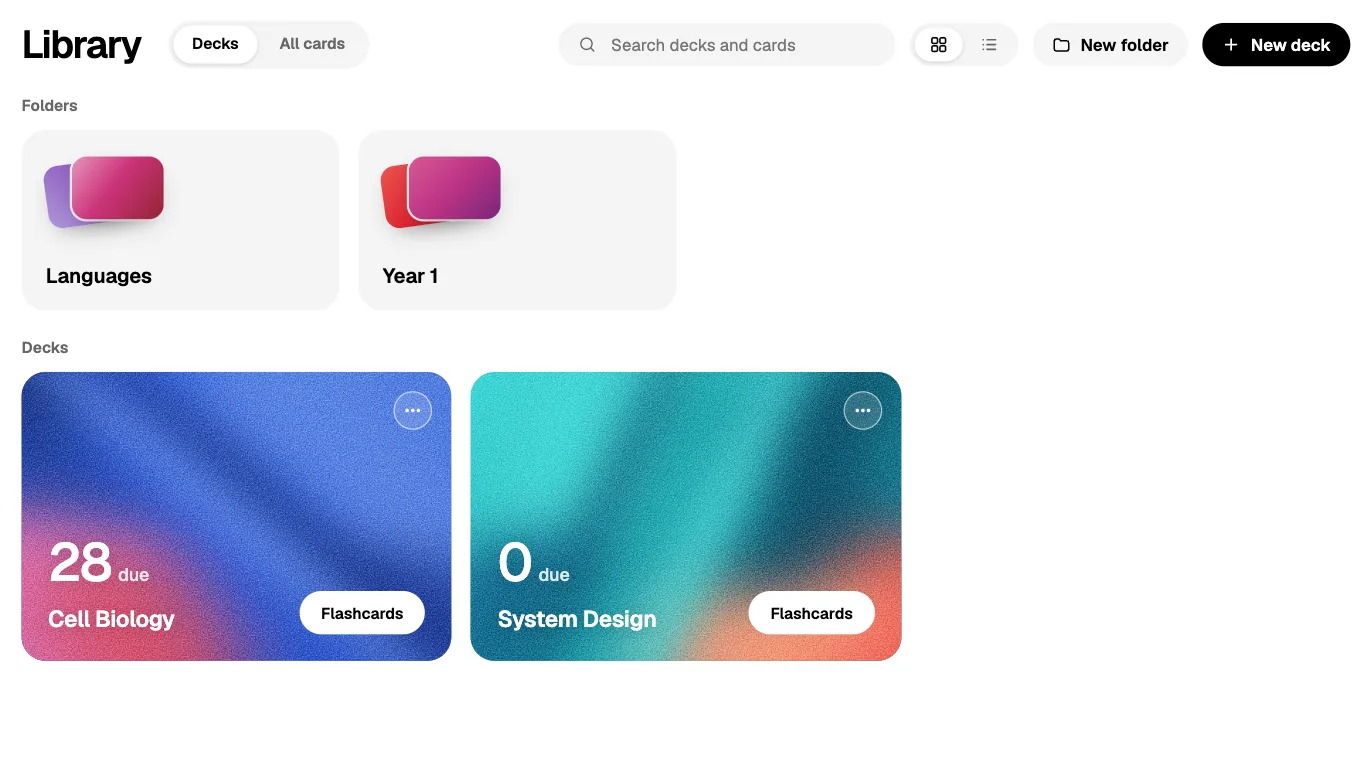
- Simple. Decks and cards, and nothing else to learn: no outline, no knowledge base and nothing to set up.
- Free picture cards. Lucida’s free plan has up to 100 pictures and sounds. RemNote’s free plan has 5 image-occlusion images.
- Learn mode is free: five kinds of questions made from your cards, with no credits. RemNote’s quizzes are part of its AI features, which run on monthly credits.
- Live games. Lucida has live games for up to 60 friends. We found none in RemNote’s help center or pricing page.
- Your own AI, no credit meter from Lucida. Your AI app makes and edits cards through your Lucida link, and on Free it can make as many as you want.
- A lower monthly price for Pro: $5.99 a month, against $10 a month for RemNote Pro ($8 a month billed yearly). The two plans include different things.
- Your data out. Export each deck as CSV, or everything including reviews as JSON.
Moving between them
Lucida can’t read RemNote’s exports directly. RemNote exports flashcards as .apkg, and Lucida reads plain text and CSV, not .apkg files.
From Lucida to RemNote: export a deck as CSV and turn each row into a line like Question >> Answer. RemNote’s help says pasted lines written that way become flashcards.
- 1Export a Lucida deck as CSV
- 2Turn each row into a lineLike Question >> Answer
- 3Paste the lines into RemNotePasted lines become flashcards
Who should pick which
- RemNotePick RemNote if you want notes and flashcards in one app, offline apps, or an Anki import that keeps your history.
- LucidaPick Lucida if you want flashcards only, kept simple, with cards made from your files or by your own AI, and free live games and Learn mode.
How we checked this page
Facts about RemNote come from RemNote’s pricing page and help center, opened on September 30, 2026. Facts about Lucida come from the app, its pricing page and its privacy policy, and are as of October 1, 2026. Where we couldn’t confirm something about RemNote, we left it out. If anything here is wrong, write to team@lucida.cards.
Test yourself
Show the answerShow the questionWhere do RemNote cards live?Inside your notes. Any bullet can become a card: type Question == Answer.
Show the answerShow the questionWhat does RemNote Pro cost a month?$10 a month, or $8 a month billed yearly. Lucida Pro is $5.99 a month, but the plans include different things.
Show the answerShow the questionHow many image-occlusion images does RemNote’s free plan allow?5 images. Lucida’s free plan has up to 100 pictures and sounds.
Show the answerShow the questionDoes RemNote work offline?Yes, in the desktop and mobile apps, but it is limited in the web app. Lucida has no offline mode.
Questions
Is RemNote free?
Yes, with limits. The free plan has unlimited notes and flashcards and unlimited synced devices, plus 3 annotated PDFs, 5 image-occlusion images, 1 handwritten document, 1 exam in the exam scheduler and 250 AI credits a month (RemNote pricing, September 2026).
How much is RemNote Pro?
RemNote Pro is $8 a month billed yearly ($96) or $10 a month billed monthly. Pro with AI is $18 a month billed yearly ($216) or $20 a month. There is also a lifetime plan, Life-Long Learner, at $395 paid once.
Does RemNote use FSRS?
Optionally. RemNote’s default scheduler is Anki SM-2, and FSRS version 6 is available as a beta feature you switch on. Lucida plans reviews with FSRS by default.
Can I import Anki decks into RemNote?
Yes. RemNote imports Anki .apkg files, including review history, and handles basic, cloze and image-occlusion notes. CSS on note types and custom JavaScript aren’t carried over. Lucida can’t read .apkg files, but it reads Anki’s Notes in Plain Text export.
Does RemNote work offline?
Yes, in the desktop and mobile apps. The web app works offline only if you already have it open, and most AI features need a connection. Lucida has no offline mode.
Does RemNote have AI?
Yes. RemNote includes monthly AI credits (250 on Free, 1,000 on Pro, 20,000 on Pro with AI) for cards from text, PDFs and slides, tutor chat and AI grading. Lucida makes cards itself too, from your files, pictures, recordings, YouTube links or a topic (3 makes a day on Free), and your own AI app can make cards through your Lucida link.
Is RemNote better than Anki?
They suit different habits. RemNote puts cards inside outline notes and imports Anki decks with review history. Anki keeps cards in decks and has more than 1,600 add-ons. Lucida is neither: flashcards only, in a browser.
Is Lucida a good RemNote alternative?
If you only need flashcards and want them simple, free Learn mode and live games, yes. If you want notes, PDFs, handwriting or offline apps, stay with RemNote.
Keep reading
Sources (12)
The pages this one was written from, and the day each was checked.
- RemNote pricing · checked September 30, 2026
- RemNote Help Center: The FSRS Spaced Repetition Algorithm · checked September 30, 2026
- RemNote Help Center: Importing from Anki · checked September 30, 2026
- RemNote Help Center: Offline Mode · checked September 30, 2026
- RemNote Help Center: Creating Flashcards · checked September 30, 2026
- RemNote Help Center: Switching from Anki to RemNote · checked September 30, 2026
- RemNote Help Center: RemNote vs. Anki, SuperMemo, and other tools · checked September 30, 2026
- RemNote Help Center: Exporting and Printing Notes · checked September 30, 2026
- RemNote Help Center: How to Import Flashcards from Text · checked September 30, 2026
- RemNote Privacy Hub · checked September 30, 2026
- Lucida pricing · checked October 1, 2026
- Lucida privacy policy · checked October 1, 2026